Think it through. Build it out.
AI conversations with images, files, tool activity and project context. Follow the work as it happens.
AI conversationsA NEW SPACE FOR YOUR BEST IDEAS
Your AI, projects, computer and team. Connected in one desktop workspace, ready for what comes next.
Request early accessExplore EVX AI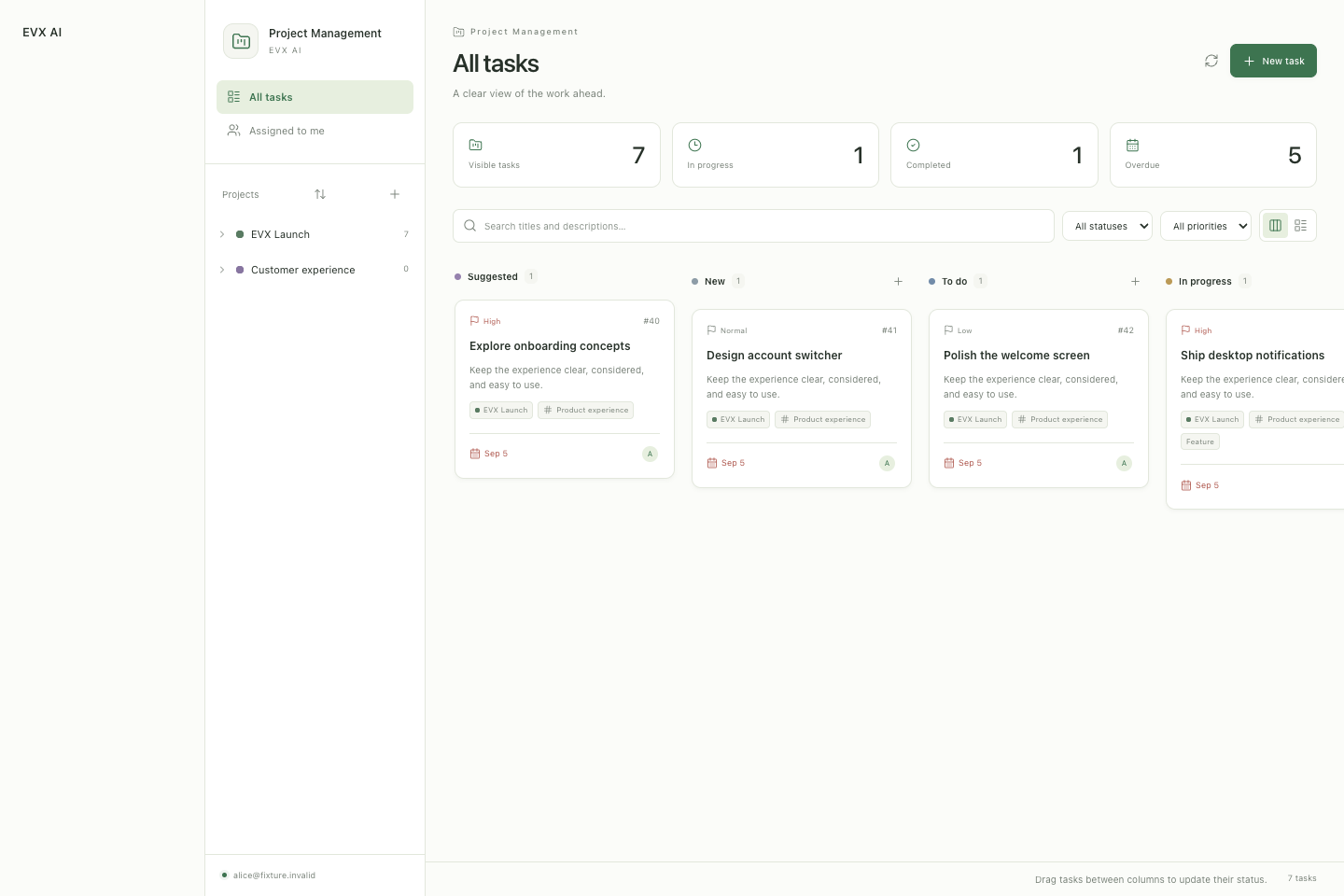
Product previews use sample data. Features depend on your account and permissions.
Meet your workspace01WORK WHERE IT MAKES SENSE
Start with a conversation. Choose where the work happens. Keep the tools and context close.
Work with the files on your computer. Talk through an idea, inspect code and review changes from the same conversation.
 EVX AI
Local describes where tools run. Relevant context may still be sent to your selected AI service.
02EVERYTHING IN THE CONVERSATION
Keep the work around your ideas connected—from the first question to the next team task.
AI conversations with images, files, tool activity and project context. Follow the work as it happens.
AI conversationsOrganise projects and sections, move work across the board, and keep priorities, owners and comments together.
Project managementWork across team conversations and support. Switch accounts and see the spaces your role gives you access to.
Teams & communicationOpen a browser preview beside the conversation. Test web projects and stream remote Android devices.
Preview & testingRead, compose and organise email with rich formatting, attachments and signatures. Turn an email into a reviewed task.
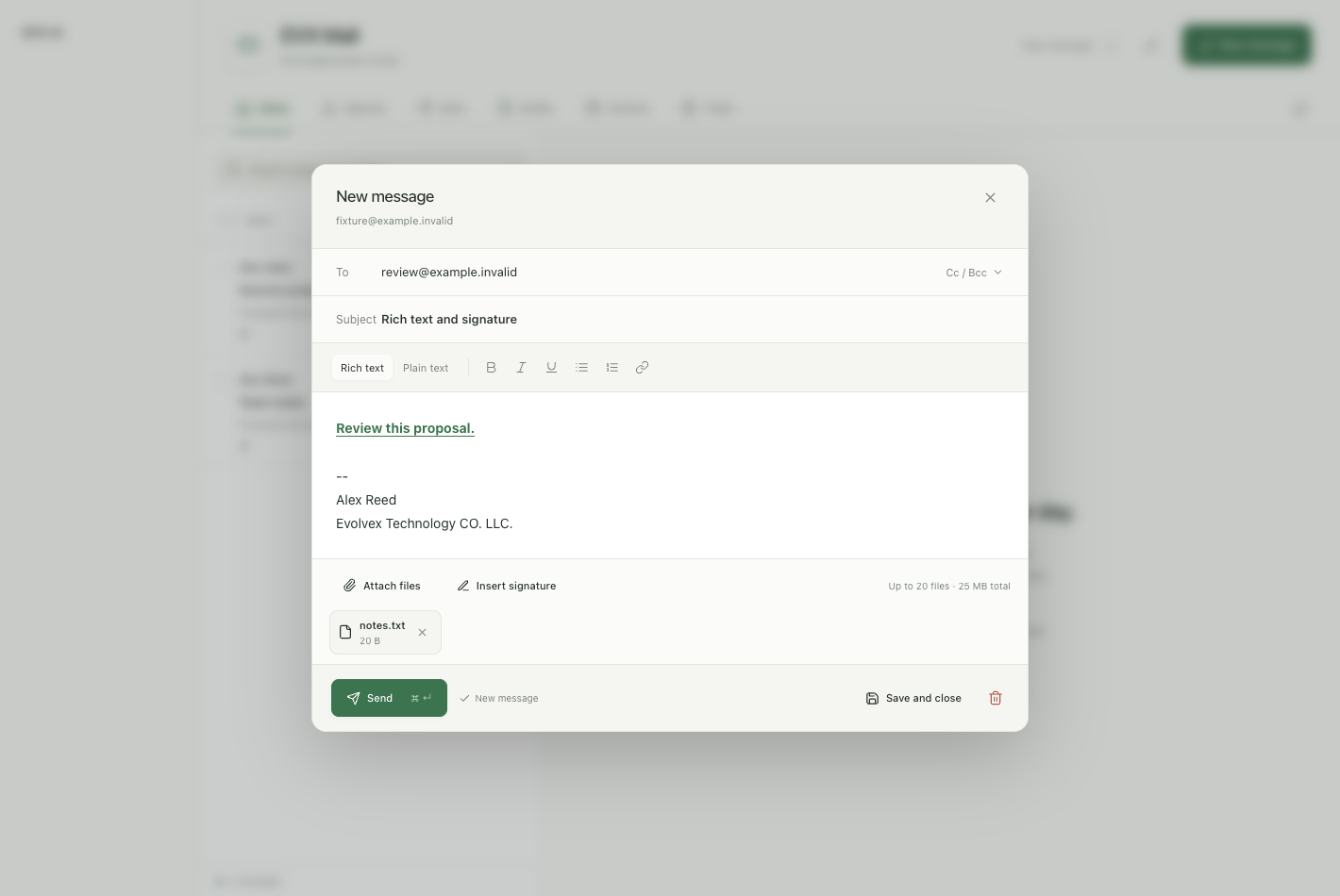
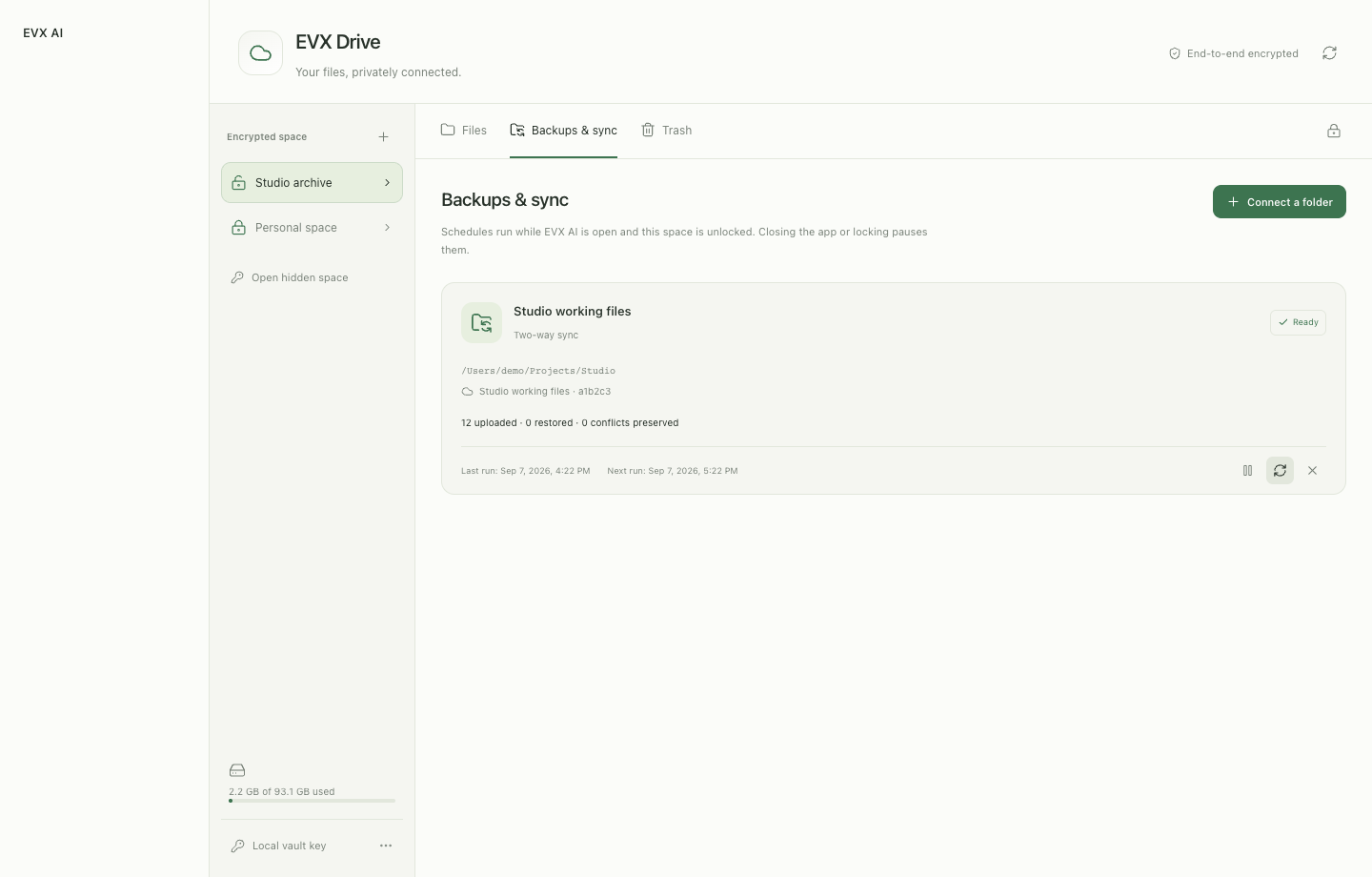
Browse encrypted Drive storage, transfer files, restore backups and set up local folder sync or scheduled backups.
Product previews use sample data. Features depend on your account and permissions.
03AUTOMATION WITH A CHOICE
Choose how local commands are approved. Keep track of tool activity and review important results.
The right access, for the right account.Master Control and management menus appear only for accounts with the required permissions.
Review and approve each applicable local command before it runs.
Let an AI reviewer approve or reject applicable commands. AI decisions can be wrong.
Allow applicable commands to run without individual prompts, within your requested scope.
Command settings do not replace separate tool approvals or OS permissions. An automatic command can itself read, change or delete files. AI results need review.
BUILT BY EVOLVEX TECHNOLOGY
Tell us how you work. We’ll talk through EVX AI access and what fits your team.
Request early access